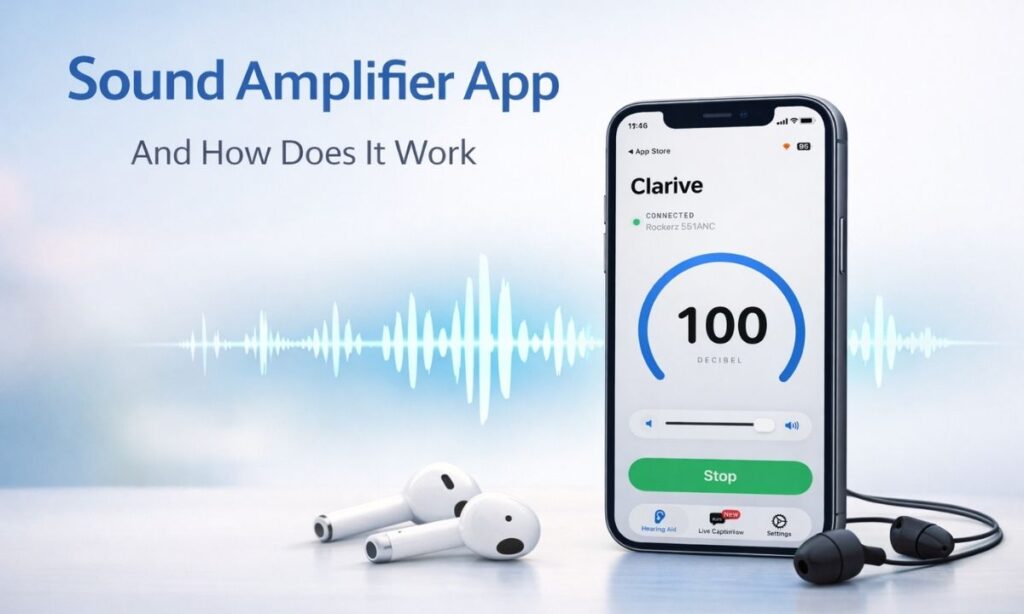
Maybe you asked them to repeat it. Then asked again. And still could not catch every word. That feeling – of missing out on a conversation – happens to millions of people every single day.
Here is the good news. The phone you already carry in your pocket can help you hear better. A hearing aid app for smartphones uses your phone’s microphone to pick up sound and send it straight to your earphones – louder, clearer, and easier to follow.
No doctor’s visit. No expensive hearing device. Just your phone and the right app.
In this guide, you will learn:
- What a hearing aid app actually does
- Which apps work best on iPhone and Android
- What features to look for
- How to get started for free
- How Listening Device: Clarive makes hearing easier every day
Let’s keep it simple and get straight to it.
What Is a Hearing Aid App for Smartphones?
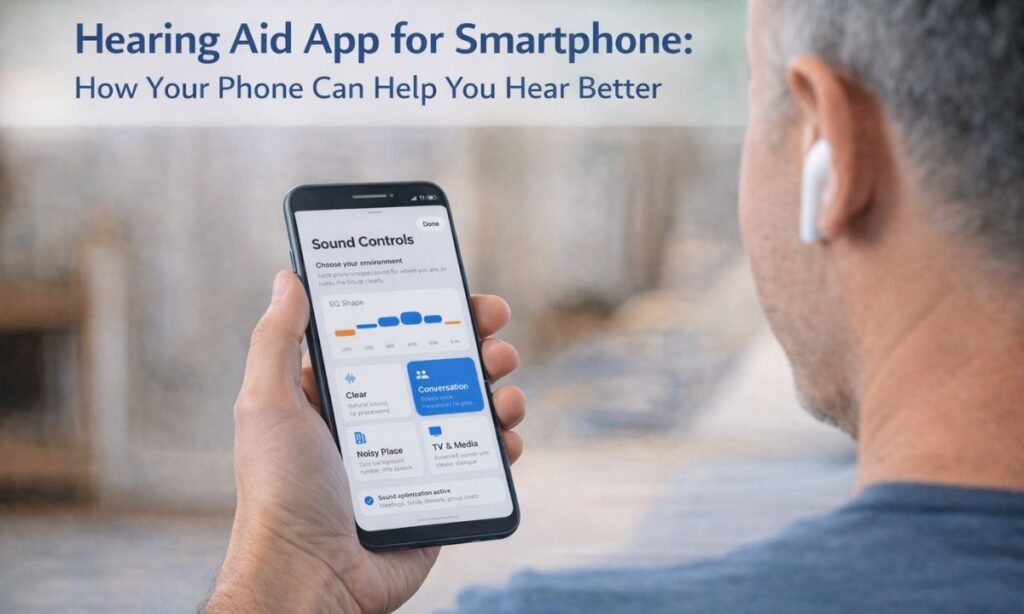
A hearing aid app for smartphone is a phone app that helps you hear better.
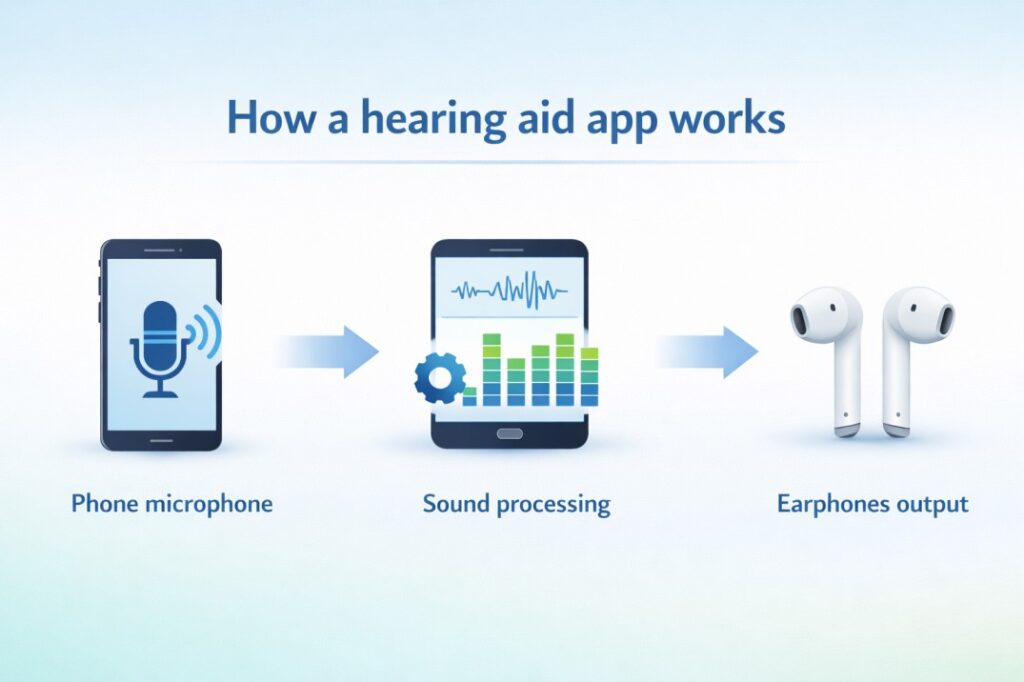
Here is how it works in three simple steps:
- Your phone’s microphone picks up the sounds around you
- The app makes those sounds louder and clearer
- You hear the improved sound through your earphones or headphones
Some apps also show words on your screen as people talk. This is called live captioning. It means you can both hear AND read what is being said at the same time.
The best part? You do not need to buy expensive hearing aids. You just need your phone and a pair of earphones.
Hearing Aid Apps vs. Hearing Enhancer Apps – What Is the Difference?
People use these two terms a lot. Here is the simple difference:
- A hearing aid app is made for people who have trouble hearing. It focuses on making speech clearer and louder.
- A hearing enhancer app is for anyone who wants to hear better – even people without hearing loss. It is useful in noisy places like restaurants, classrooms, or busy streets.
Both types of apps can help you. Apps like Listening Device: Clarive work for both groups. Whether you have hearing loss or just need a boost in a loud place, these apps are built for you.
Can Your Smartphone Work as a Hearing Aid?
Yes – it really can.
Your smartphone has a built-in microphone that is always ready to listen. With the right hearing app, that microphone becomes a powerful hearing tool. You hear through your earphones, and the app does all the hard work of making sound clearer.
You do not need fancy equipment. You do not need a prescription. You just need:
- Your smartphone (iPhone or Android)
- A pair of earphones (wired or wireless both work)
- A good hearing app
That is it. Many people are surprised by how well this works the first time they try it.
Hearing Aid App for iPhone – What iPhone Users Need to Know
If you use an iPhone, you have a few options for hearing help. Let us walk through them one by one.
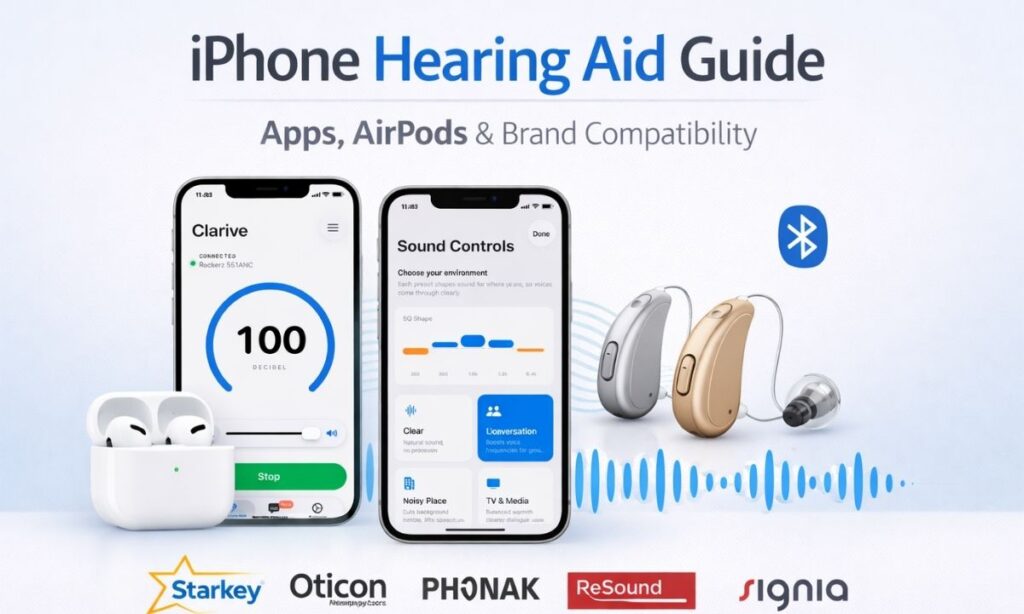
Apple’s Built-In Live Listen Feature
Apple made a special feature inside iPhone called Live Listen. You can find it in your phone’s Accessibility settings. Here is what it does:
- It uses your iPhone’s microphone to pick up nearby sounds
- It sends that sound directly to your AirPods or compatible hearing aids
- It works without downloading any extra app
Live Listen is a great starting point. But it has some limits:
- It works best with Apple AirPods or special “Made for iPhone” hearing aids
- It does not show live captions on your screen
- It does not filter out background noise very well
- It was not built for people who need it all day, every day
So while Live Listen is helpful, most iPhone users who need real hearing support end up downloading a third-party hearing aid app for iPhone to get more features.
Best Hearing Aid App for iPhone – What to Look For
When you search the App Store for a hearing aid app for iPhone, you will find many options. Here is what the best ones have in common:
- Works with any earphones – not just AirPods
- Shows live captions on your screen while you listen
- Filters background noise so voices come through clearly
- Works without internet – great for areas with weak signal
- Easy to use – no complicated setup or account needed
- Free option available – so you can try before you pay
Listening Device: Clarive checks every one of these boxes. It works on iPhone with any earphones you already own, shows live captions in real time, and does not need an internet connection to run.
iPhone Hearing App Features You Will Actually Use
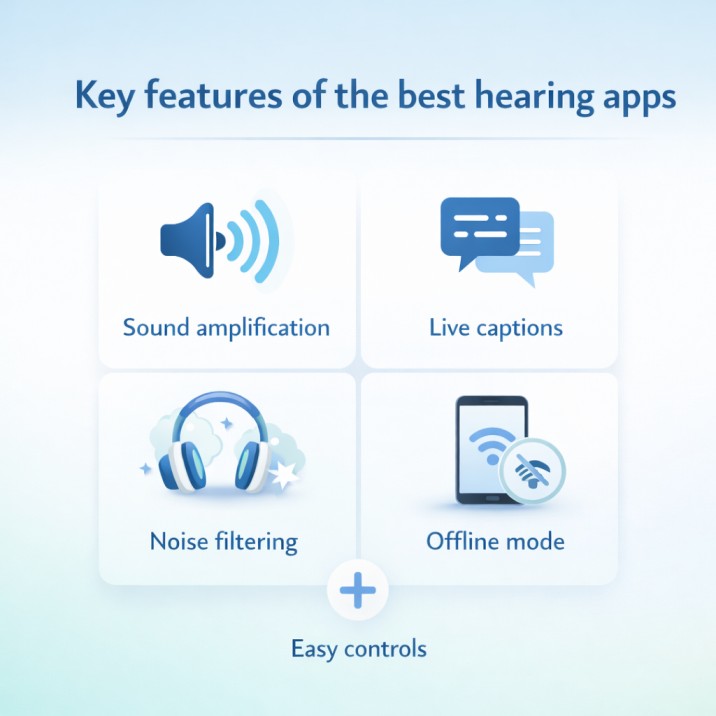
Here are the features iPhone users love most in hearing apps:
- Voice amplifier – makes the person speaking to you sound louder and clearer
- Live Caption – shows words on your screen as they are spoken
- Background noise filter – reduces loud sounds like traffic or crowd noise
- Offline mode – works in places with no Wi-Fi or phone signal
- Simple controls – adjust volume with one tap
You do not need to be tech-savvy to use these features. Most good hearing apps for iPhone are designed to be simple and quick to start.
How to Set Up a Hearing Aid App on iPhone – 3 Easy Steps
Getting started is simple:
- Step 1: Download the hearing app from the App Store
- Step 2: Plug in your earphones or connect your wireless earphones via Bluetooth
- Step 3: Open the app, tap the button to start, and hold your phone toward the sound you want to hear
That is really all there is to it. Within one minute, your iPhone becomes a hearing helper.
Hearing Aid App for Android – What Android Users Need to Know
Android phones have their own built-in hearing tools too.
Google Sound Amplifier
Google made a free app called Sound Amplifier that comes built into most Android phones. Here is what it does:
- Boosts sound through your earphones
- Lets you adjust bass, mid, and high sounds
- Reduces some background noise
It is a good free starting point. But like Apple’s Live Listen, it has limits. It does not show live captions, and the noise filtering is basic.
Google Live Transcribe
Live Transcribe is another free Android app from Google. It is different from Sound Amplifier:
- It writes out what people say in real time on your screen
- It supports 80 different languages
- It saves your conversation text for up to three days
- It does NOT amplify sound – it only shows text
Live Transcribe is great for reading conversations. But it works best when paired with another app that boosts the actual sound.
Best Hearing Aid App for Android
For Android users who want both amplification AND live captions in one app, third-party hearing apps fill the gap. Look for an android hearing aid app that:
- Amplifies sound AND shows captions at the same time
- Filters background noise
- Works offline
- Does not require creating an account
- Has a free version to try
Listening Device: Clarive is available for Android and combines all of these features in one simple app.
What Features Should You Look for in a Hearing App?
Whether you are using iPhone or Android, the right features make a big difference. Here is a simple checklist:
Sound Amplification
This is the main job of any hearing aid app. It should:
- Make voices louder without making everything else loud too
- Sound natural – not tinny or robotic
- Work well in quiet rooms AND noisy environments
Live Captions
Live captions show words on your screen as people speak. This is especially helpful when:
- You are in a very noisy place
- The person speaking has an accent
- You missed part of what was said and want to read it back
Background Noise Filtering
A great hearing app separates voices from noise. Think of it like this – imagine someone talking to you at a busy train station. A basic app makes everything louder, including the train noise. A smart app makes the voice clearer while keeping the train noise low.
Works Without Internet
This is something many people forget to check. Some hearing apps need Wi-Fi or mobile data to work. If you lose signal, the app stops working.
The best hearing aid apps work completely offline. They process sound right on your phone, so they work anywhere – on a plane, in a basement, in a rural area with no signal.
Easy to Use
A hearing app should not require a manual to figure out. Look for:
- Big, clear buttons
- Simple volume controls
- No complicated settings menus
- Works the moment you open it
Best Hearing Aid Apps – Free vs. Paid
Free Hearing Aid Apps – What You Get
There are real free hearing aid apps on both the App Store and Google Play. Here is what free apps usually offer:
- Basic sound amplification
- Limited daily use (for example, five sessions per day)
- Some live captioning features
- Simple controls
Free apps are perfect for trying things out. They let you see if a hearing app helps before you pay anything. Apps like Listening Device: Clarive give you free access to both amplification and live captions up to five times a day – with no account, no internet, and no strings attached.
Paid Hearing Aid Apps – Are They Worth It?
For people who need hearing help every day, a paid app is almost always worth it. Here is what paid plans usually unlock:
- Unlimited daily use – no session limits
- Better noise filtering
- More customization options
- No ads
And here is the important comparison: traditional prescription hearing aids cost between $1,000 and $7,000. A good paid hearing app costs a few dollars a month. For many people – especially those with mild to moderate hearing difficulty – a hearing app gives them most of the benefit at a tiny fraction of the cost.
Popular Hearing Aid Apps Compared
Here is a simple look at what is available:
- Listening Device: Clarive – Standalone app. Works on iPhone and Android. Amplifies sound and shows live captions. Works offline. No account needed. Works with any earphones. Free tier included.
- Google Live Transcribe – Android only. Real-time text transcription. Great for reading conversations. Does not amplify sound.
- Google Sound Amplifier – Android only. Basic amplification. Built into Android. Free.
- Apple Live Listen – iPhone only. Basic amplification via AirPods. Limited features. Built into iOS.
- Otter.ai – iPhone and Android. Good for meeting transcription. Needs internet. Does not amplify sound.
- Manufacturer apps – Apps like MyPhonak, Oticon Companion, Signia App, ReSound Smart App, Beltone, Miracle-Ear, Kirkland, Eargo, Audien, Widex Moment, Thrive, My Audibel, and Connexx are all designed to pair with specific hearing aid brands. They only work if you already own that brand’s hearing aids.
The big takeaway: if you do not own specific hearing aids, manufacturer apps will not work for you. Standalone apps like Clarive work for everyone, right away.
Who Are Hearing Apps Really For?
People Who Are Hard of Hearing
If conversations have gotten harder to follow – especially in noisy places – a hearing app gives you real, immediate help. You do not need a diagnosis. You do not need a referral. You just download the app, plug in your earphones, and start hearing better.
For people with significant hearing loss, using amplification AND live captions together gives you two ways to follow a conversation at the same time. You hear it AND you read it. That combination is powerful.
Older Adults and Their Families
Many older adults do not want hearing aids. They can be expensive, hard to set up, and feel embarrassing to wear. A hearing app on a smartphone removes all of that friction.
If your parent or grandparent already uses a smartphone, they already have everything they need. A family member can install the app in minutes and walk them through it. No audiologist visit. No waiting list. No big cost.
People in Loud Places
You do not need to have hearing loss to benefit from a hearing enhancer app. Teachers, construction workers, travelers, people at concerts or sporting events – anyone who struggles to hear clearly in a loud environment can use these apps to make voices stand out from background noise.
Listening Device: Clarive – A Hearing App Built for Real Life
Most hearing apps ask you to pick between power and simplicity. Listening Device: Clarive gives you both.
The idea is simple: turn your phone into a smart hearing assistant. Plug in your earphones, open the app, and hear the world around you more clearly – whether you are in a quiet conversation or a crowded room.
What Clarive Does
- Real-time sound amplification – Makes voices louder and clearer through your earphones
- Live Caption – Shows words on your screen as people speak, so you can read along
- Voice amplifier controls – Focus the app on picking up voices clearly
- Works with any earphones – Wired or wireless, AirPods, standard earbuds, Bluetooth headphones – all compatible
- No internet needed – Works completely offline, anywhere
- No account required – Open the app and go. Nothing to sign up for.
Clarive was built for people who need real-world hearing support every day – not as an add-on to expensive hardware, but as a complete tool that stands on its own.
How Much Does Clarive Cost?
Clarive gives you a real free option before you pay anything:
- Free: Use both Hearing Aid mode and Live Caption up to 5 times per day – completely free
- Monthly Pro: $5.99 per month, with a 3-day free trial
- Yearly Pro: $24.99 per year (that is 50% off the regular yearly price), with a 7-day free trial
Compare that to traditional hearing aids, which can cost thousands of dollars. Clarive gives most people the hearing support they need at a price that actually makes sense.
Simple Tips to Get the Most from Your Hearing App
A few easy habits make a big difference:
- Use good earphones. Better earphones mean clearer, more natural sound. Any earphones work, but ones that fit snugly give the best results.
- Point your phone toward the sound. Your phone’s microphone picks up what it faces. Point it toward the person speaking for the clearest result.
- Try the free version first. Use the free features for a few days before deciding on a paid plan.
- Use live captions alongside amplification. Hearing AND reading at the same time gives you the best chance of catching everything.
- Keep your phone charged. Hearing apps use more battery than regular apps because the microphone runs constantly. Keep a charger handy.
- Test it in different places. Try the app at home, in a restaurant, and outdoors. Adjust the settings until you find what feels right for each place.
Conclusion
Your phone is already one of the most powerful tools you own. With the right hearing aid app, it becomes something even more valuable – a hearing assistant you carry everywhere, that works without internet, needs no special hardware, and costs a fraction of traditional hearing aids.
Here is what to remember from this guide:
- Hearing apps work on both iPhone and Android – and some are completely free to try
- The best apps combine amplification AND live captions together
- Apps that work offline are more reliable for daily use
- You do not need expensive hearing aids to get real hearing support
- Listening Device: Clarive is built for everyday people who want to hear better, right now
Try the free version of Listening Device: Clarive today. Plug in your earphones, open the app, and hear the difference.
FAQs
What is a hearing aid app for smartphone?
A hearing aid app uses your phone’s microphone to pick up nearby sounds, makes them louder and clearer, and sends them to your earphones. Some apps also show live captions on your screen so you can read what is being said.
Can I use my iPhone as a hearing aid?
Yes. iPhone has a built-in feature called Live Listen in Accessibility settings. For better results, a third-party hearing aid app for iPhone offers more features like live captions, noise filtering, and offline use without needing AirPods.
What is the best free hearing aid app for Android?
Google Sound Amplifier is a free built-in option for Android. Google Live Transcribe shows real-time text. For a combined experience with amplification and captions, Listening Device: Clarive offers free daily use with no account or internet required.
Do hearing apps work without the internet?
Not all of them do. Many transcription apps need internet to work. Listening Device: Clarive processes everything on your phone so it works completely offline, anywhere you go, with no data connection needed.
What is the difference between a hearing enhancer app and a hearing aid app?
A hearing enhancer app helps anyone hear better in noisy places. A hearing aid app is designed specifically for people with hearing loss. Many apps, like Clarive, work well for both groups depending on what the user needs.
Are free hearing aid apps good enough for daily use?
Free apps are great for occasional use. For daily hearing support, a paid plan gives you unlimited sessions, better noise filtering, and no usage limits. Clarive’s yearly plan costs just $24.99, making daily hearing support very affordable.
What is the best hearing aid app for Android users?
Google Sound Amplifier works for basic amplification. For amplification plus live captions without needing specific hearing aids, Listening Device: Clarive is one of the most complete standalone hearing aid apps for Android available today.
Can a hearing app replace real hearing aids?
A hearing app can give real relief for mild to moderate hearing difficulty in many everyday situations. For medically diagnosed hearing loss, seeing an audiologist is always recommended. Think of hearing apps as a powerful, affordable accessibility tool – not a medical replacement.
What hearing app works best in noisy places?
Apps with active background noise filtering work best in loud environments. Listening Device: Clarive filters out background noise while amplifying speech, making it a strong choice for restaurants, public spaces, and busy streets.
Do hearing apps work with any earphones?
Not always. Some apps only work with AirPods or specific Bluetooth devices. Listening Device: Clarive works with any wired or wireless earphones, including standard earbuds, over-ear headphones, and Bluetooth audio devices.